A form ends at submission.
You get rows. Everything that makes the rows matter — the routing, the decision, the document, the follow-up — is yours to arrange somewhere else.
Submittednothing further
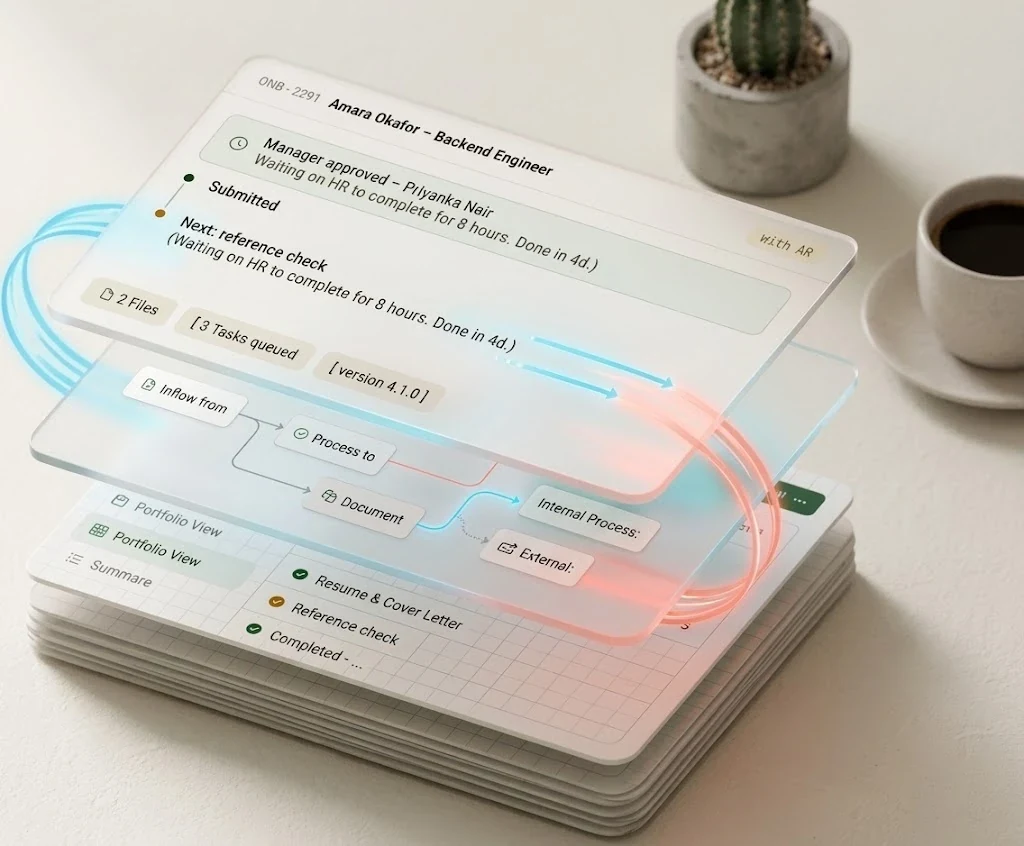
The intake form, the approvals, the reminders, the documents and the dashboard — created together from one description, then run together for as long as you need them.
Eight to twelve organizations. We build your first process with you, not for you to figure out alone.
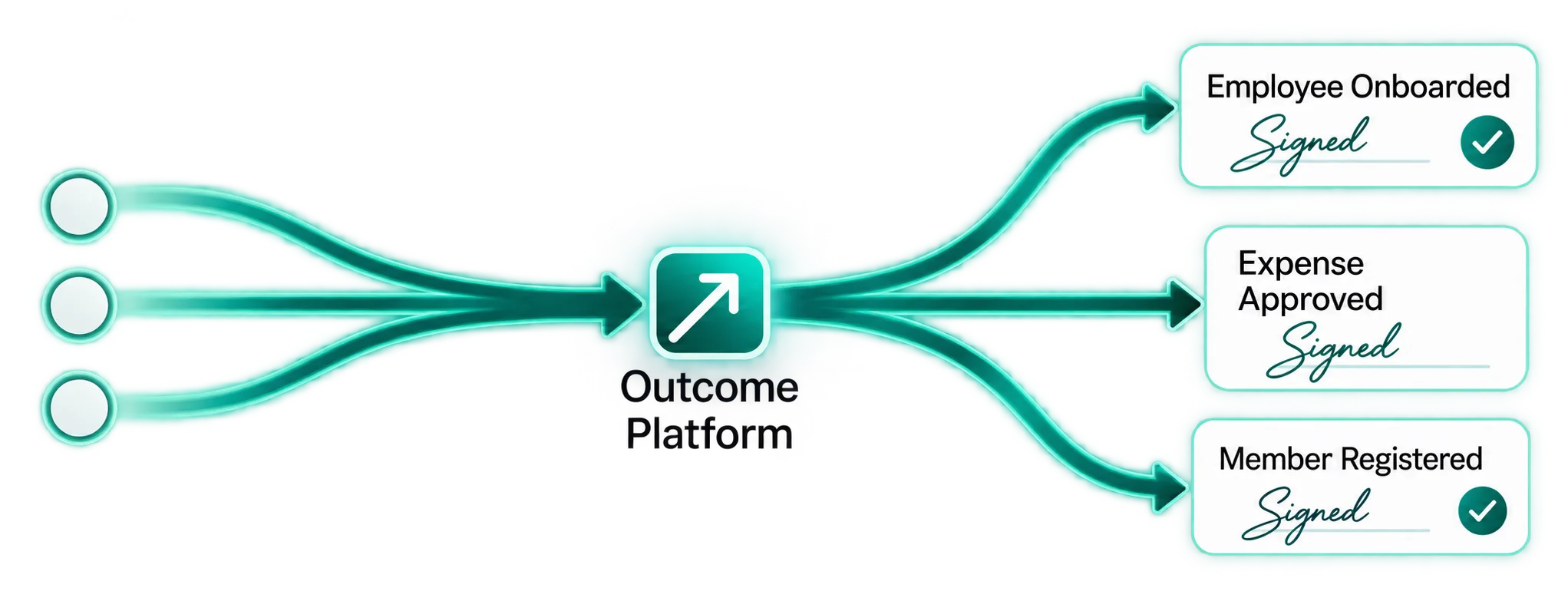
Onboard the employee. Approve the expense. Register the member. Certify the participant. Today that outcome is assembled across six tools and a lot of chasing.
What you get back is fragmented ownership, duplicated data, missed handoffs — and no trustworthy record of why a decision was made.
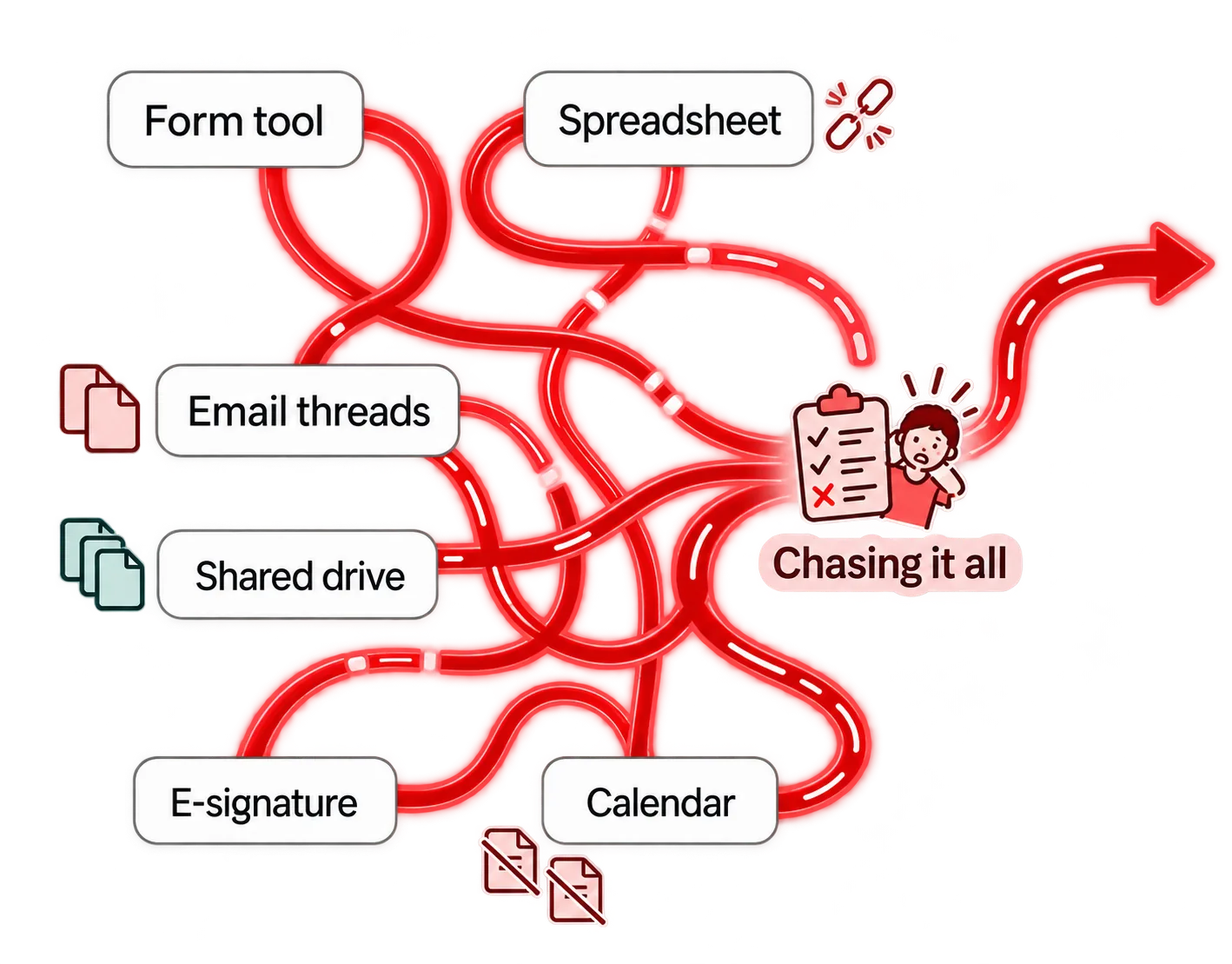
“Where is this one, and who has it?” should not be a question that takes forty minutes to answer.
Get answers instantly, not in forty minutes.
You get rows. Everything that makes the rows matter — the routing, the decision, the document, the follow-up — is yours to arrange somewhere else.
The same moment creates a case with a state, an owner, a deadline, an audit trail and a next action. The work is in the system, not in someone’s inbox.
Typed fields, constraints, and a sensitivity class on every one of them.
Pages, branching, save and resume, and an accessible respondent experience.
States, approvals, tasks, timers and exception paths — inspectable, not implied.
Who gets told what, when, and a delivery log that says whether it landed.
Packets and certificates, generated once, stored with a checksum and a version.
Intake, cycle time, what is aging and what failed — defined once, versioned.
Who may submit, see, edit, approve and report — down to individual fields.
Happy path, rejection, missing data, timeout, duplicate, permission. Run before you publish.
Not a generic analytics dashboard. What arrived, what needs you, what is late, and what broke — before anything else competes for your attention.
Ask a plain question and get an answer drawn from the records you are allowed to see.
Propose a bulk action and see exactly who it touches before anything is sent.
Every failed automation is visible, explained, and safe to replay.
Most of the engineering here is not the drag-and-drop editor. It is making sure that when something goes wrong — a crash, a retry, two people clicking at once — the outcome happens exactly once and the record says why.
We treat that as a feature, because your trust depends on it.
Every email, document and payment hand-off carries a key tied to the occurrence that caused it. A reminder that should fire twice does. A delivery retried three times does not.
Published versions cannot be edited — not by an admin, not by a support engineer, not by a migration script. Change the process tomorrow and last year’s decision still reads correctly.
A correction is a new entry beside the old one. When someone asks why a decision was made, the answer is in the record rather than in somebody’s memory.
Responses, files, schemas and audit history export in standard formats. Built on managed PostgreSQL, with no proprietary database layer to unpick.
Generating questions is table stakes — your existing form tool probably does it already. The difference is what happens to the proposal next.
Everything a model suggests is checked against the rules before it can run: references resolved, permissions verified, unreachable steps rejected, sensitive fields caught. Nothing it writes is executable, and nothing reaches your records without a person saying yes.
Route claims over £1,000 to finance after the manager approves.
A pack is not a form template. It is a working process — the stages, the approvals, the messages, the documents and the measures that the job actually needs.
High coordination, small teams, real safeguarding obligations.
Safeguarding checks are recorded by reference, not stored here. The process waits for the check; your platform never holds the certificate.
Repeated handoffs, documents, approvals and reminders, every single hire.
Payroll and right-to-work data is visible to HR and nobody else — the hiring manager sees the role, not the identification number.
Browse all 88 packsNineteen categories. Each one carries its own approvals, retention floor and escalation path.
We map what you do now, build the first version with you, and run it alongside your current way for a few weeks. You keep the numbers either way: time to launch, cycle time, manual touches, what failed.
From describing a process to a live version collecting real submissions.
Early and honestly, so we learn what this is actually worth to you.